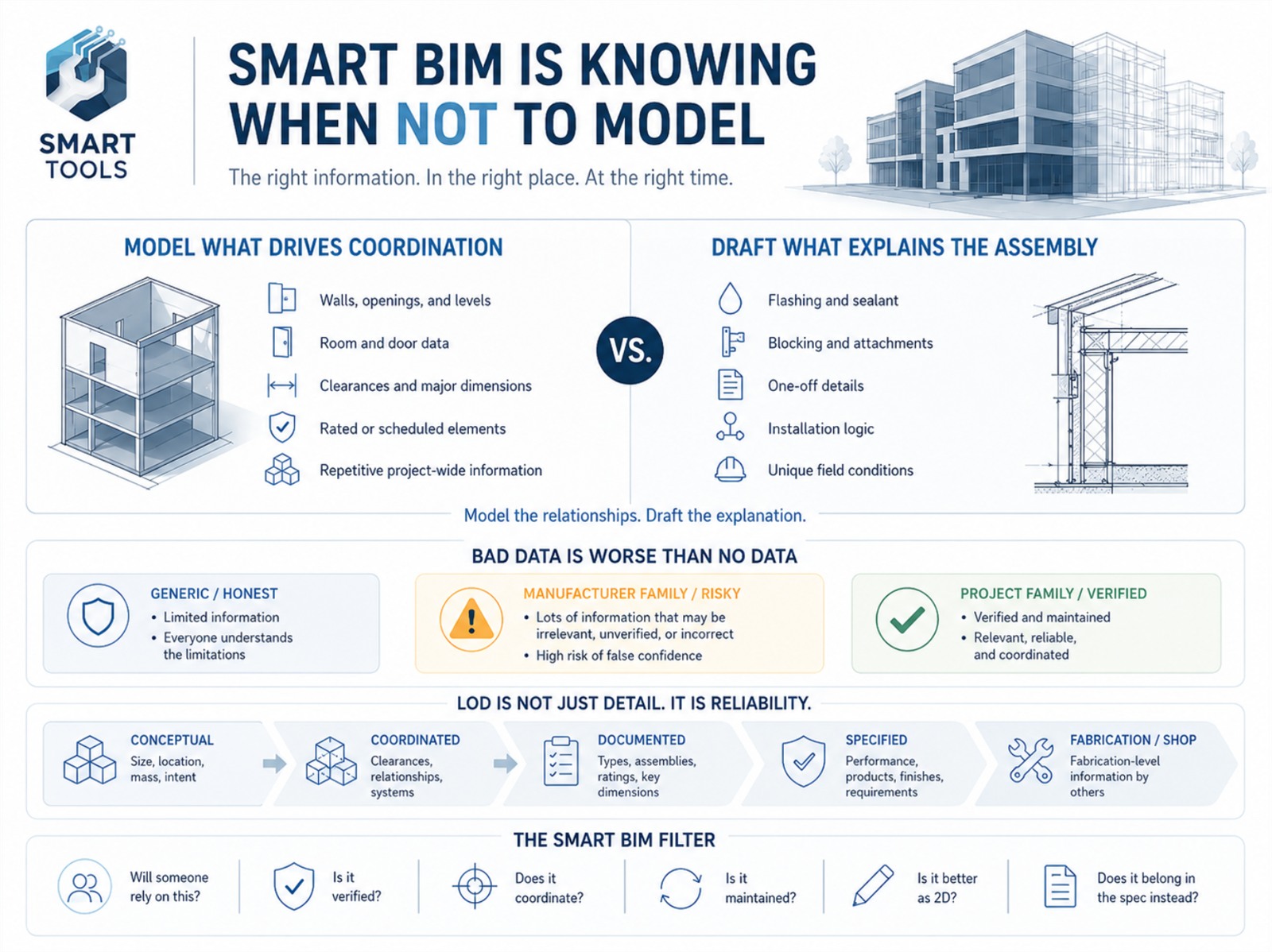
BIM changed the way architects document projects. Used well, it improves coordination, reduces repetitive drafting, organizes project information, and helps the team understand a building before it is built. It gives us tools that are far more intelligent than traditional 2D drafting.
But more information does not automatically make a model better.
A model can become too heavy, too detailed, too rigid, or too full of information that no one has verified. At a certain point, the project team may not be improving the drawings anymore. They may be maintaining information simply because it exists.
That is where Smart BIM becomes less about how much we can model and more about knowing what should be modeled, what should be drafted, and what information the team can reasonably rely on.
The Question Is Not “Can We Model It?”
In most modern BIM platforms, the answer to “Can we model this?” is usually yes.
We can model individual layers, fasteners, blocking, trim profiles, sealant joints, hardware, manufacturer-specific components, and highly detailed assemblies. We can attach parameters, URLs, product data, cost information, finish data, ratings, and specification references. We can make the model look more complete than the project may actually be.
But the better question is: should this information live in the model?
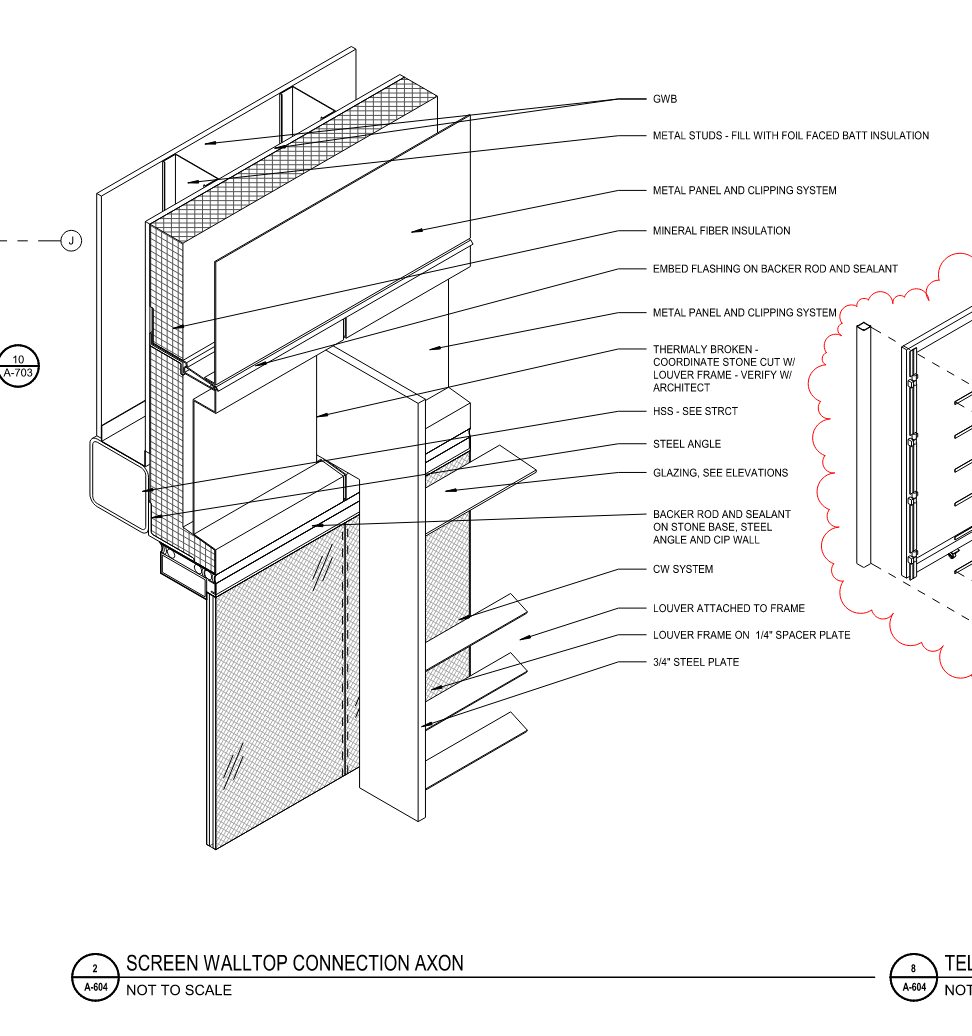
That question is more important because every modeled element carries responsibility. If we put something in the model, someone may assume it has been coordinated, reviewed, selected, or approved. If a parameter is filled out, someone may assume that information is correct. If a family looks like a final product, someone may assume the design team has made that decision.
Smart BIM is not simply adding more information. Smart BIM is curating the right information.
Model Information Should Have a Purpose
A BIM model is most valuable when the information inside it is reliable, coordinated, and useful to the project team. That does not mean every element needs to be highly detailed. It means the model should support the decisions being made at that phase of the project.
Some information belongs in the model because it affects coordination, documentation, or decision-making. Walls, doors, windows, stairs, shafts, ceiling heights, floor elevations, rated assemblies, accessible clearances, and major equipment locations all benefit from being modeled accurately. These items affect many drawings and many consultants. If they move, other things move with them.
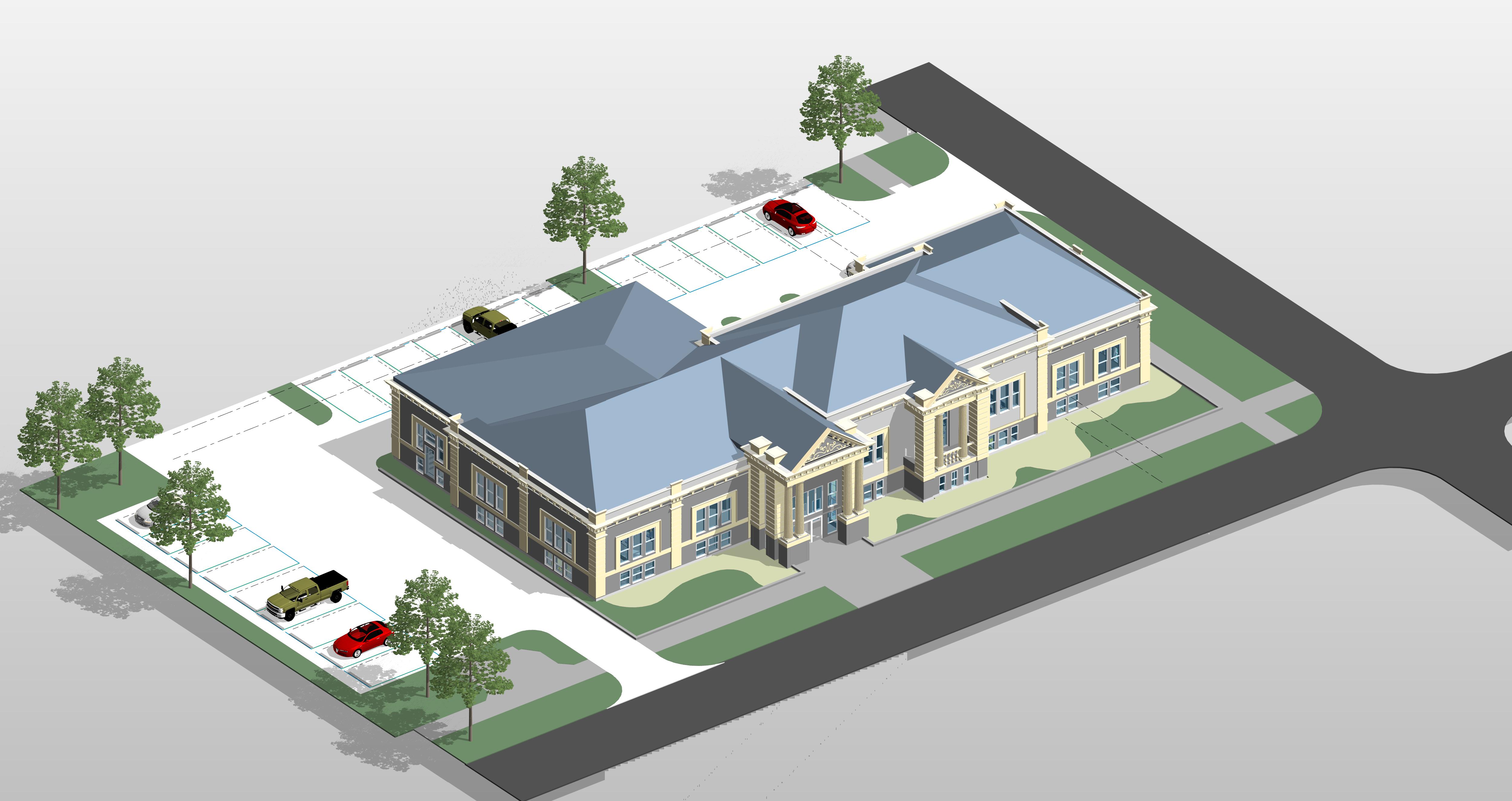
Other information may be better communicated through 2D drafting. A flashing condition, a typical sealant joint, blocking intent, or a manufacturer-specific installation diagram may not need to be modeled in three dimensions. In many cases, drafting the detail is faster, clearer, and more appropriate than modeling every component.
The goal is not to avoid modeling. The goal is to model with intent.
Understanding LOD in Architectural Drawings
LOD is often misunderstood as a measure of how realistic or detailed something looks. For architectural documentation, it is better understood as a measure of reliability. The questions that actually matter are:
- What is this element intended to communicate?
- Can it be used for coordination?
- Can it be used for quantity?
- Can it be used for construction?
- Can it be used for fabrication?
- Can others rely on the information attached to it?
Those are very different questions. A generic door family may be perfectly appropriate during early design if it accurately communicates size, swing, location, and code-related function. That same door family may be insufficient later if the project requires hardware sets, fire ratings, accessibility clearances, frame types, and finish coordination. The level of development should match the decision-making required at that point in the project.
The problem occurs when the model looks more developed than it actually is. A highly detailed family can create the impression that something has been selected, coordinated, or approved, even when it is only a placeholder. In that sense, LOD is not just about geometry. It is also about trust.
When 2D Is Still the Smarter Tool
There is sometimes a misconception that using 2D drafting in a BIM workflow is a failure. It is not. Drafting is still a valid and important part of architectural documentation. The issue is not whether something is modeled or drafted — it is whether the method communicates the information clearly and responsibly.
A model should do what models do well, and drafting should do what drafting does well:
Coordinate location, size, relationships, repetition, schedules, and project-wide consistency.
Clarify assemblies, explain intent, address unique conditions, and communicate construction logic without overburdening the model.
Smart BIM does not eliminate 2D drafting. It uses 2D drafting intentionally.
The Risk of Too Much Information
Too much BIM is not only a modeling problem. It is an information-quality problem.
One of the biggest risks comes from manufacturer content and third-party families. These can be extremely useful, but they often arrive loaded with prefilled parameters, product data, model numbers, ratings, finish information, URLs, and other embedded assumptions.
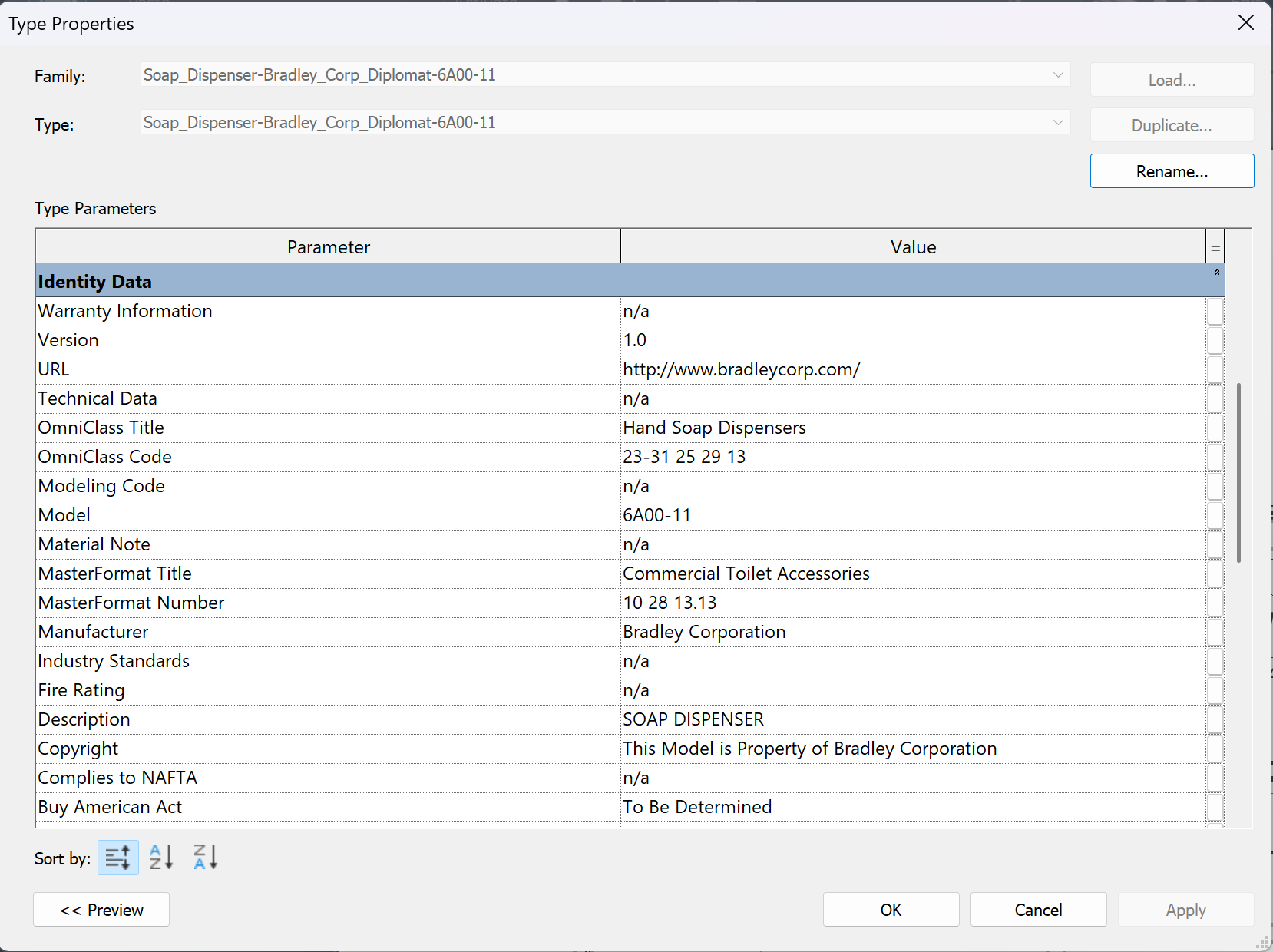
If that information is not reviewed, cleaned, or intentionally managed, it can introduce bad information into the project. That can be worse than having no information at all.
Bad information creates false confidence.
A blank parameter tells the team a decision has not been made. A wrong parameter suggests that it has. A generic placeholder reads as generic; a highly detailed manufacturer family implies a level of selection or coordination that may not have happened.
This matters most when families are used for architectural drawings and schedules. A modeler may load a family because the geometry is useful, but the family may also bring in irrelevant parameters, incorrect classification data, outdated product information, or values that conflict with the specifications. If those values appear in a schedule, tag, export, or downstream coordination file, the project team may unintentionally carry that bad information forward.
In BIM, information should be treated as part of the deliverable. If it is visible, scheduled, tagged, exported, or relied upon, it needs to be intentional.
The Model Is Not the Specification
Another common issue is trying to make the model carry information that is better controlled elsewhere. The model should support the drawings and specifications, but it should not become an uncontrolled duplicate of the specification. When product requirements, performance criteria, ratings, warranties, installation requirements, and manufacturer data are buried inside families, they become difficult to review and maintain.
A few questions expose the problem quickly:
- If the specification changes, does the family change?
- If the basis-of-design product changes, does the embedded data change?
- If a manufacturer family includes a fire rating, acoustic value, or performance claim, has the design team verified it?
If the answer is no, that information may not belong in the model. This does not mean BIM objects should be empty. It means information should be placed where it can be managed responsibly. Some information belongs in schedules. Some belongs in keynotes. Some belongs in specifications. Some belongs in details. Some belongs in the model. The important part is knowing which is which.
Where Smart Keynotes Fits
This is the thinking behind Smart Keynotes. Keynotes are one of those places where information can live and be managed deliberately — instead of being buried inside families or silently duplicated across the model.
Smart Keynotes keeps the keynote layer lean and intentional: concise, imperative, construction-ready text, with reference standards (ASTM, ANSI, IBC, and the like) handled as a separate, managed layer rather than baked into every family or note. When AI assist proposes wording, nothing reaches your keynote file until you approve it — so the information that lands in the set is information you actually decided on.
The result is a documentation set where the keynotes carry reviewed, reliable, maintainable information — and the model stays focused on what models do best.
A Better Standard: Useful, Reliable, Maintainable
A smart model should be useful, reliable, and maintainable.
- Useful — the information supports the work of the project team.
- Reliable — the information has been reviewed at the level others are expected to rely on it.
- Maintainable — the team can reasonably keep the information current as the project changes.
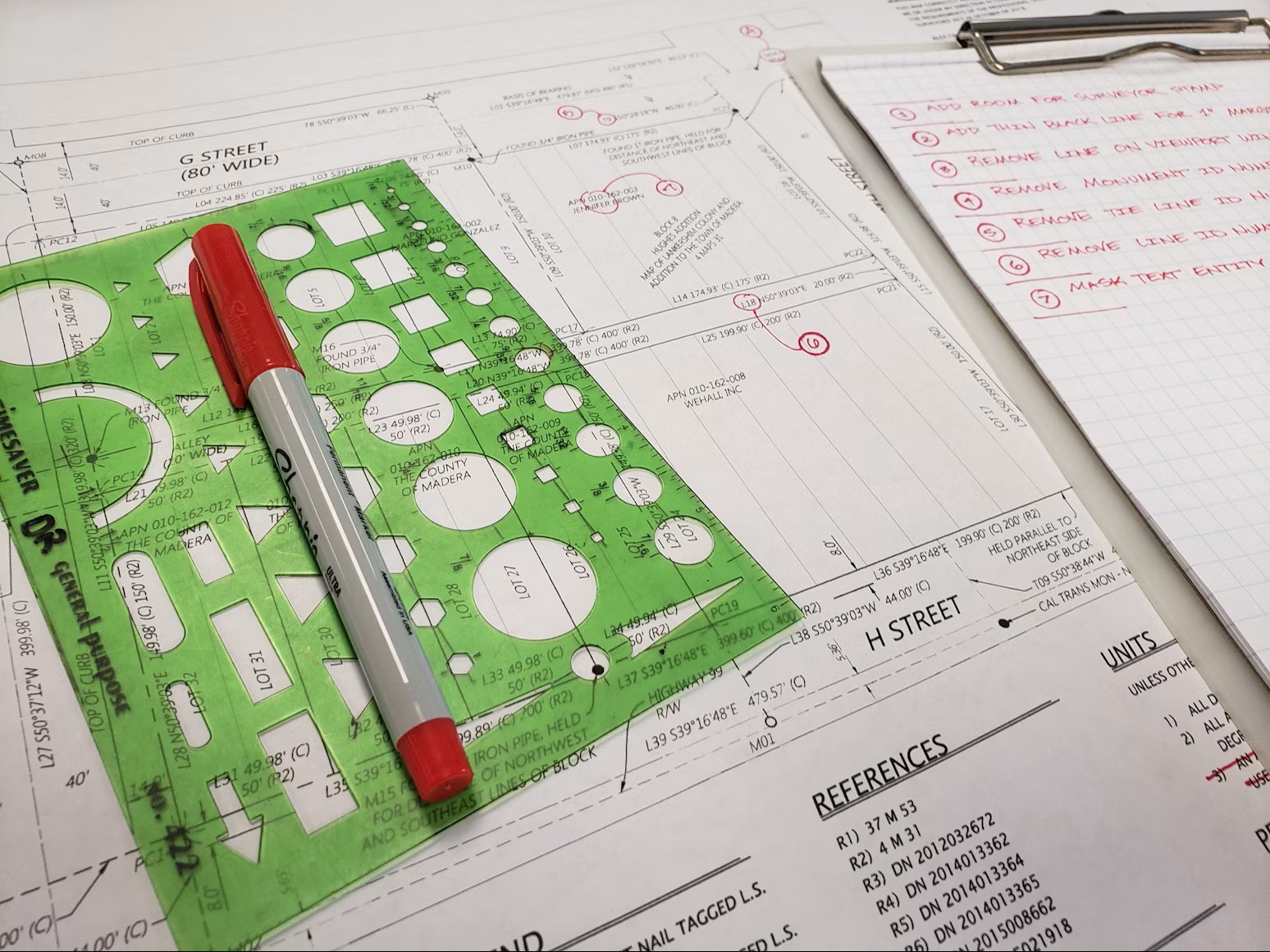
That last point matters. The more information we add to a model, the more information we must maintain. Over-modeling can slow a project down, but over-informing can create an even bigger issue: it creates data that has to be checked, updated, coordinated, and eventually defended.
A lean, well-managed model is often more valuable than a highly detailed model full of unmanaged assumptions.
Recommendations for BIM Modelers
The best BIM modelers are not just fast. They are thoughtful. They understand that every modeled element and every parameter has the potential to communicate project intent. A few habits keep a model smart without making it unnecessarily complicated.
- Understand the purpose of the element before adding detail. Is it needed for coordination, documentation, scheduling, visualization, or quantity? If it doesn't serve one of those purposes, it may not need to be modeled.
- Be cautious with manufacturer and third-party families. Use them when they help, but don't assume the information inside them is correct. Review the parameters, clean out unnecessary data, and keep unverified values out of schedules and tags.
- Keep placeholder content honest. Generic elements are fine when they are clearly generic. Problems start when placeholder content looks final or carries final-looking data.
- Use 2D drafting where it improves clarity. Not every construction detail needs to be fully modeled. A well-drafted detail can communicate intent more clearly than an overly complicated model condition.
- Think about who will rely on the information. If a contractor, consultant, owner, estimator, or reviewer may use it, it should be accurate enough for that use — and if it isn't, the model should make that limitation clear.
- Remember that BIM is a communication tool. The goal is not the most detailed model possible. It's a model and drawing set that communicate the project clearly, accurately, and efficiently.
Closing Thought
Smart BIM is not about modeling everything. It is about knowing what to model, what to draft, what to schedule, what to specify, and what to leave out until the information is ready.
The smartest model is not the one with the most information. It is the one with the right information, at the right level of reliability, for the right phase of the project.