You choose every keynote. We just get it there faster.
You know what you're looking for. The tool should keep up.
Type a keyword, pick the keynote, apply it. No file hunting, no tab switching. You stay in your view.
Try Smart Keynotes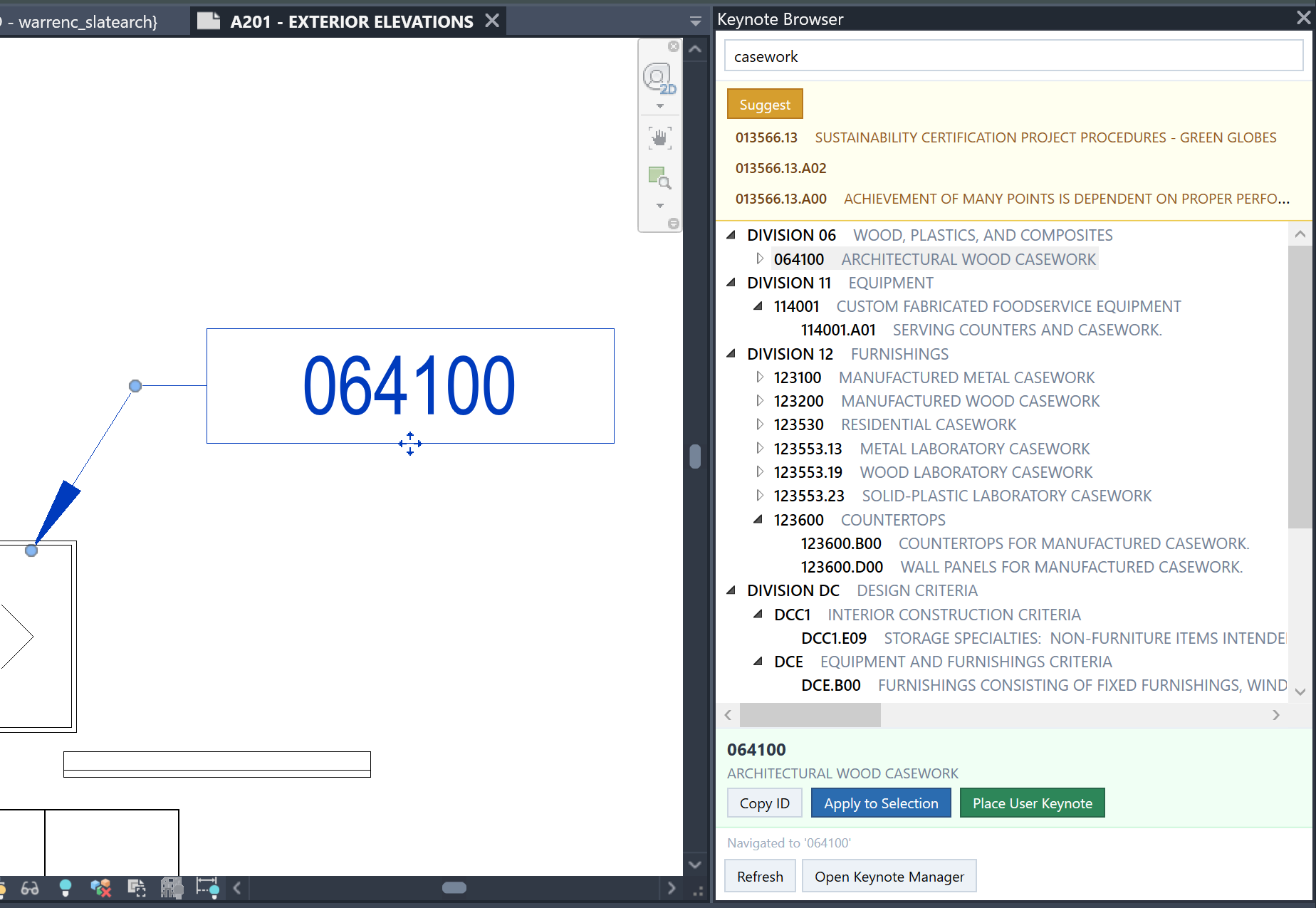
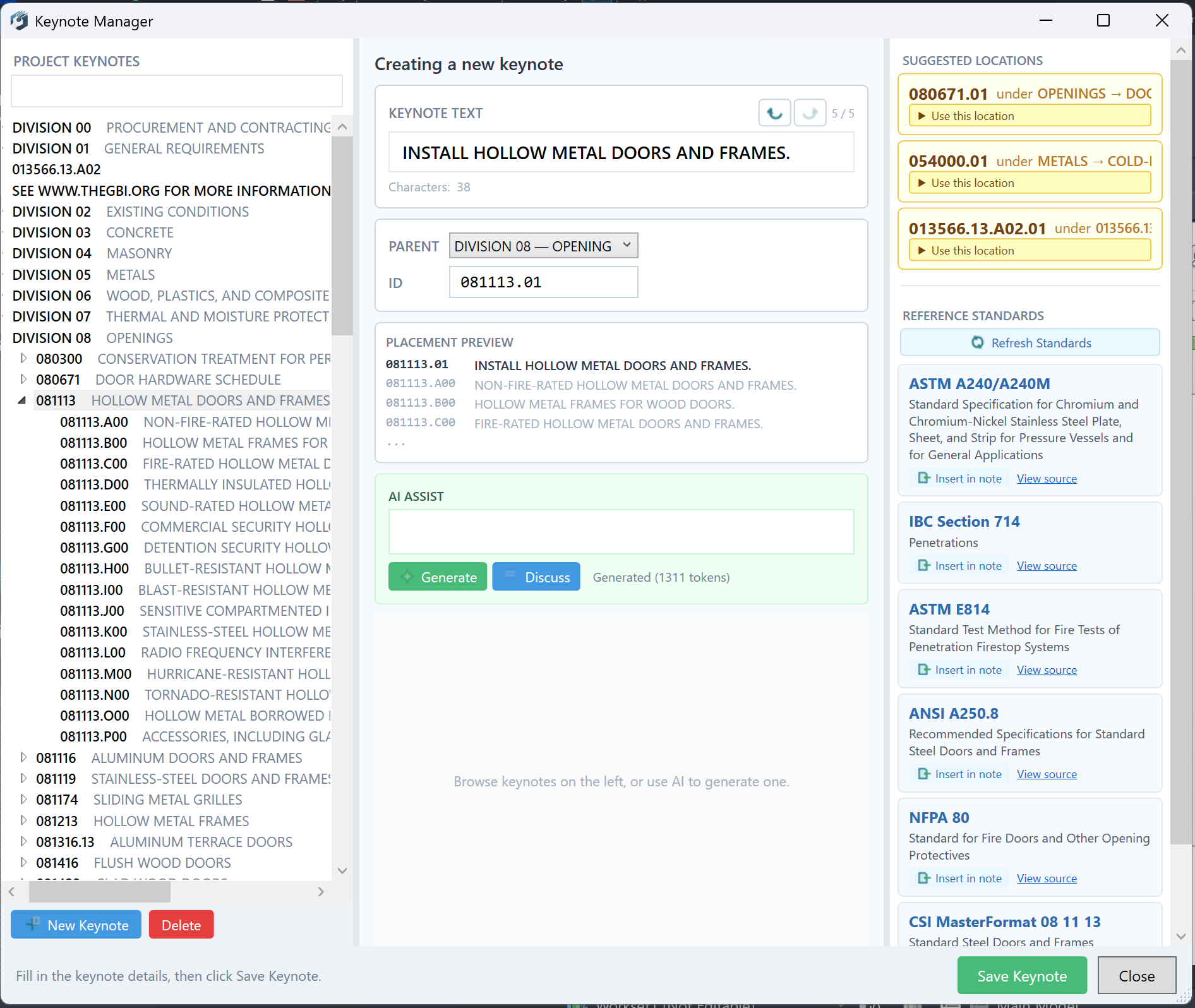
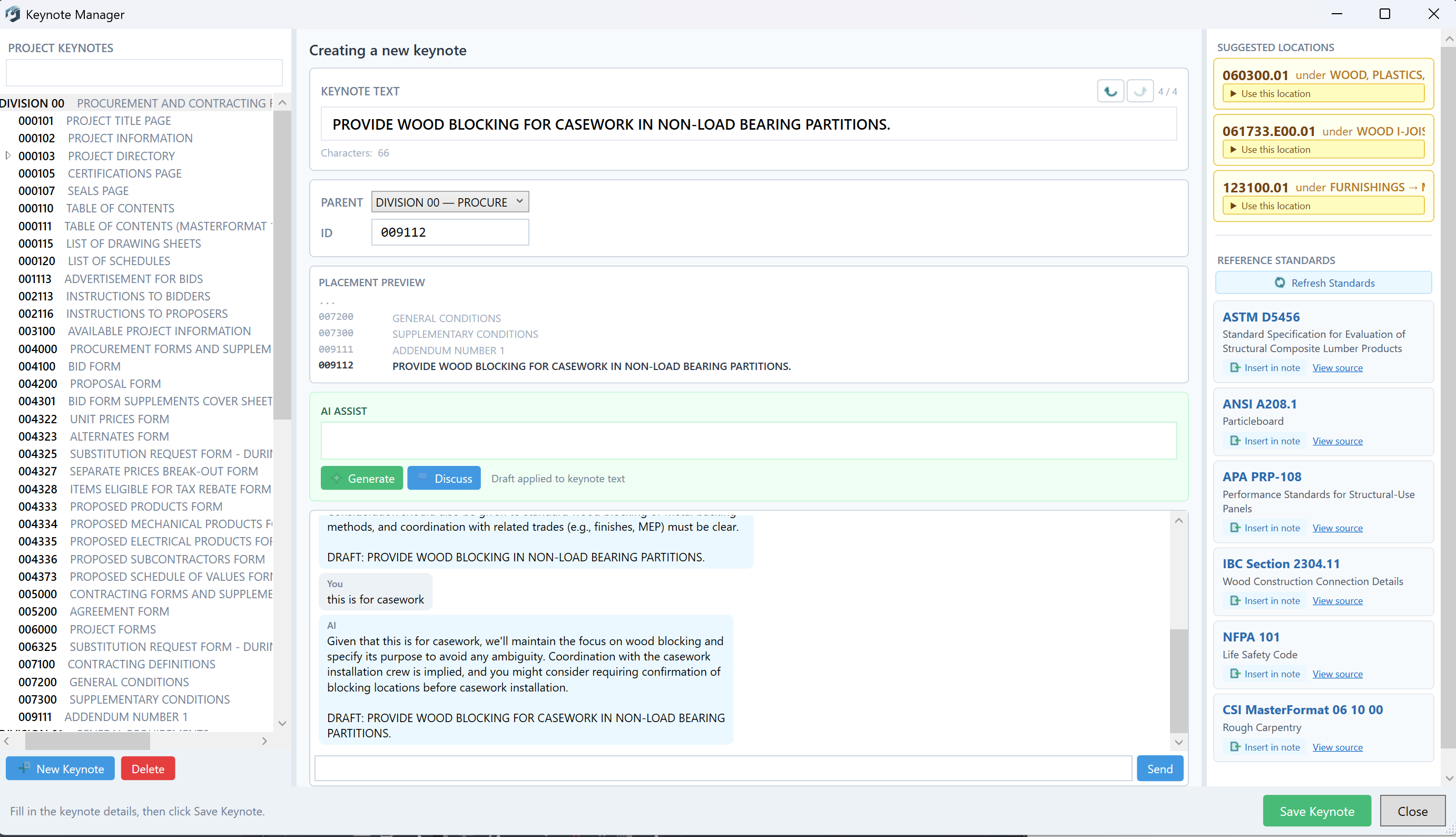
Creating new keynote text shouldn't slow you down.
Describe what you need. AI suggests text and a location in your file. You review it, edit it, place it — or skip it entirely. Nothing changes without your say.
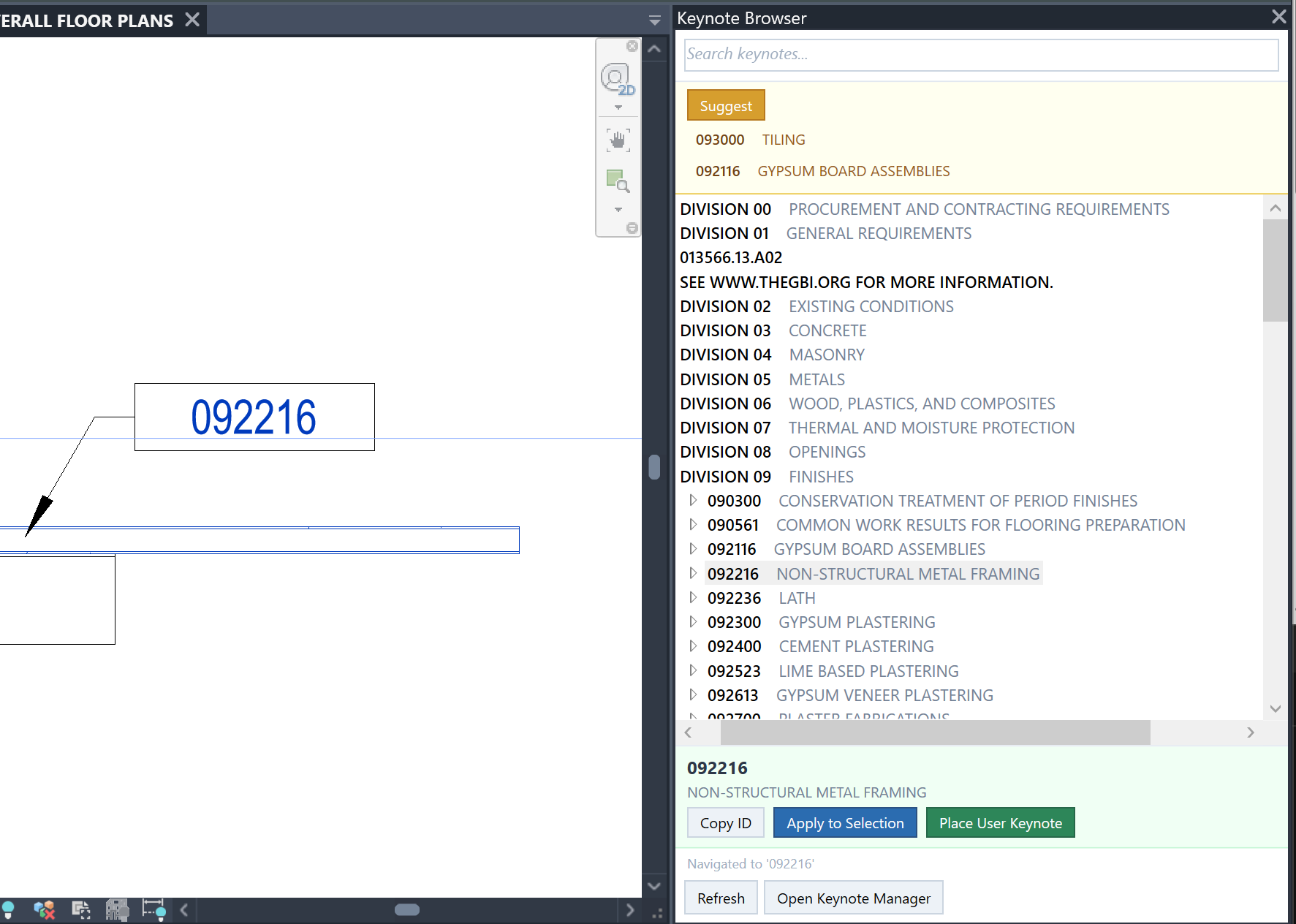
You shouldn't have to leave your model to find a keynote.
The full tree is right there — searchable, docked in Revit. Select a keynote, apply it, or place a tag. You pick the keynote. The tool just puts it where you point.
Before you issue a set, you need to know what's actually placed.
Usage Inspector shows every keynote in your model — which ones are placed, where they are, and which elements carry them. You review. You decide what stays.
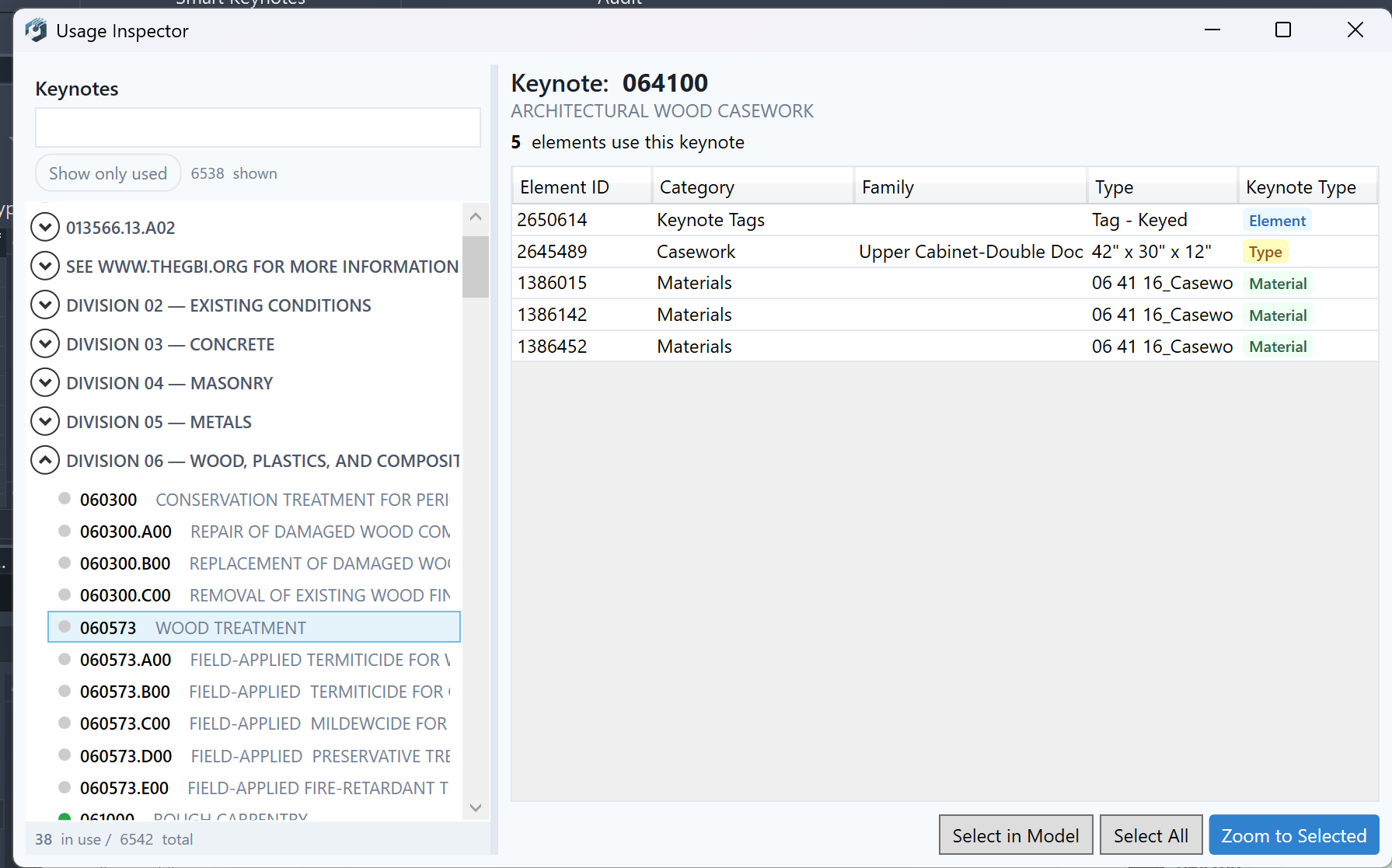
Full visibility into your project. No license needed, no strings attached.

Pick a material, apply it. That simple.
Turn an Excel sheet into a Revit key schedule.

Your full keynote file, searchable, always at hand.

Catch what's referenced but undefined — before it hits a set.

Clean out what's no longer in your set.
Also available on Autodesk App Store