Smart Tools is built by an architect, focused on giving designers better control over the tools they use every day. If you have questions, feedback, or ideas, we'd love to hear from you.
✉ info@revit-smarttools.comInterested in beta testing the latest tools?
Get new features weeks before they ship. Currently in beta: the Text Note Assistant — AI-assisted text notes, shared project annotation libraries that load automatically for the whole team, and office standards managed right in the browser.
Subscribers get the beta download link by email automatically. Your feedback goes straight to the developer.
Installation
How do I install?
Download the installer, run it, and open Revit. The Smart Tools tab appears in the ribbon automatically.
Tab not showing up?
Close Revit completely and reopen it after running the installer. If using Revit 2025, 2026, or 2027, make sure you downloaded the latest installer.
Which Revit versions are supported?
Revit 2025, 2026, and 2027. The installer auto-detects which versions you have installed.
Licensing
Where do I enter my license key?
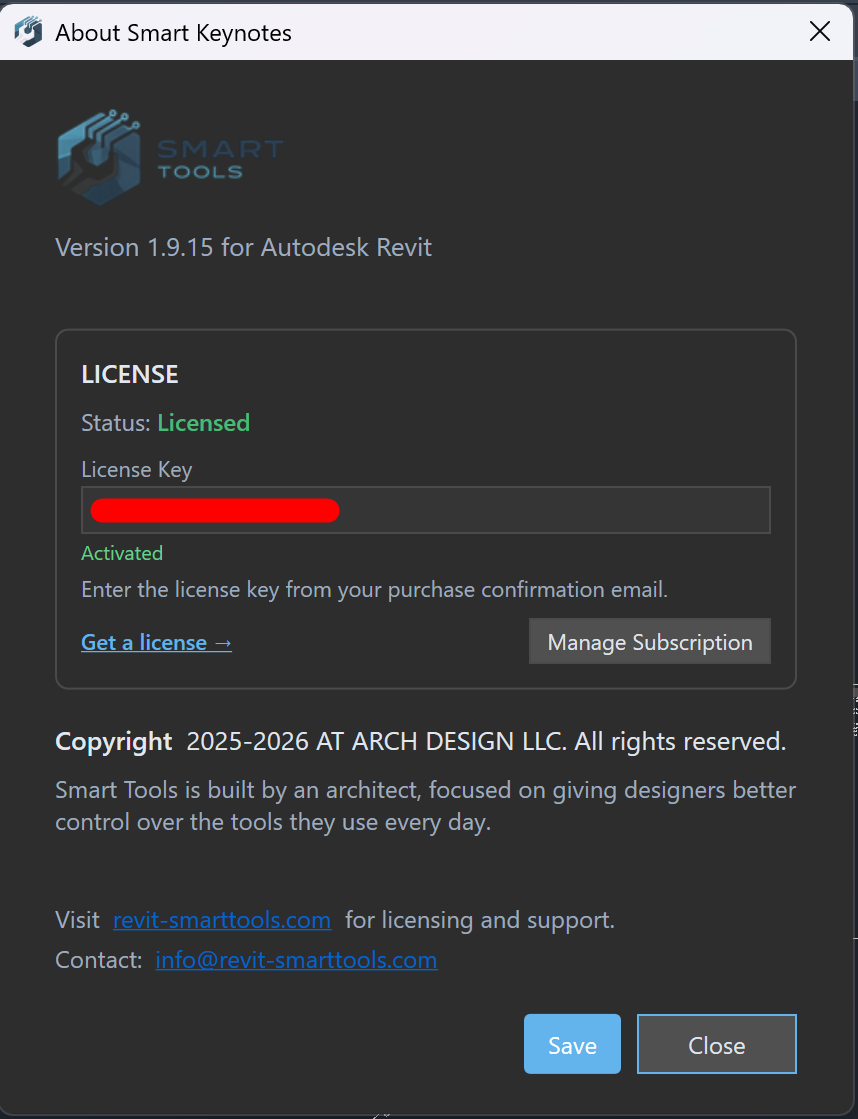
In Revit, go to the Smart Tools tab → click About → paste your license key → click Save.
Where is my license key?
Check the welcome email sent to you after purchase. Can't find it? Use the form below to resend it.
Can I use multiple computers?
Yes. Each license supports up to 3 machines — office, home, and laptop.
How do I cancel?
In Revit: Smart Tools tab → About → Manage Subscription → Cancel. Your license stays active through the end of the billing period. 14-day money-back guarantee on all plans.
How do I update?
Download the latest installer from your welcome email or the link below and run it. It will upgrade your existing installation automatically.
Resend my download or license key
Lost your welcome email? Enter your email and we'll resend your download link or license key.